
Translation Overrides
The convenience of instant translations, with the flexibility to intervene when it matters.
Last updated on 30 October 2026
Drawing on MDDI’s translation resources and expertise, SG Translate 2.0, the translation engine powering Polyglot, delivers four times the performance of a general-purpose large language model in handling Singapore-specific terms and local context.
However, agencies might still want to refine automated translations when specific terms, nuances, or agency-specific context need a more precise translation.
Agencies can do so by overriding translations through Polyglot Widget in Admin Mode.
To trigger Admin Mode on your live site, login to Polyglot Studio and click on Edit on your site.
This will open your own website in a new tab, with the Polyglot widget now in Admin Mode. You will be prompted to Login to edit through the widget itself.
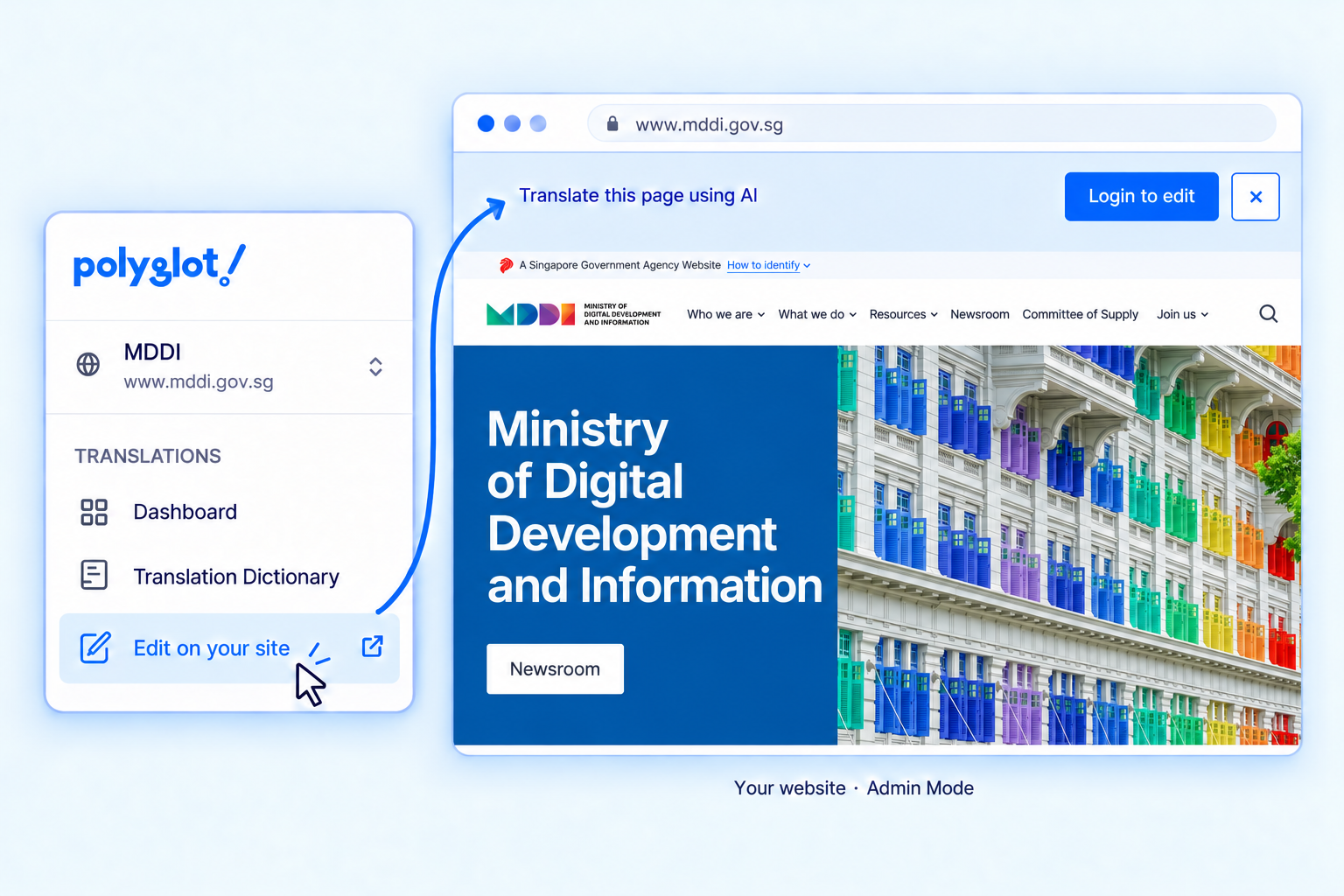
Clicking on the Login to edit button will link your current Polyglot Studio session to the Polyglot Widget that's embedded on your live site.
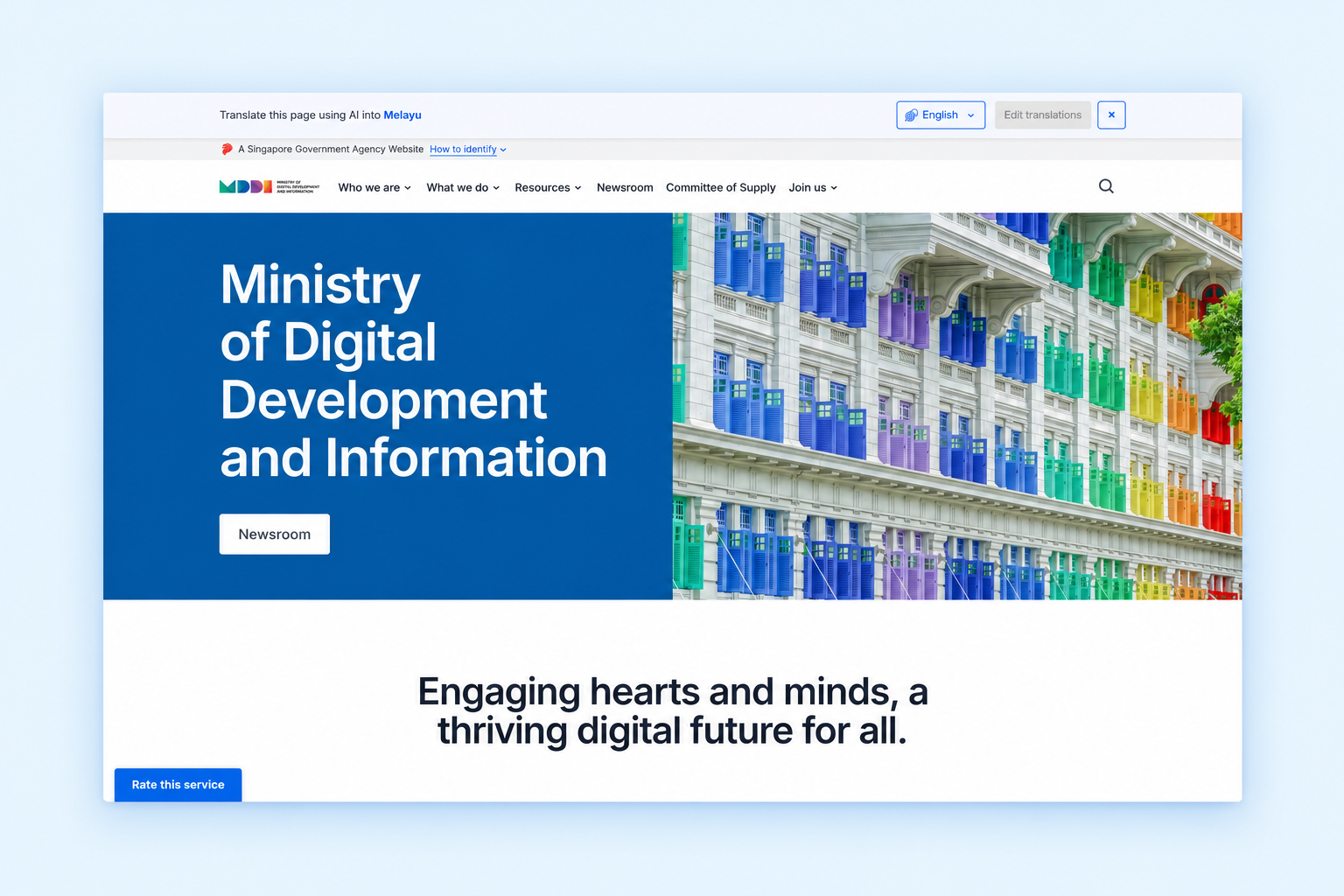
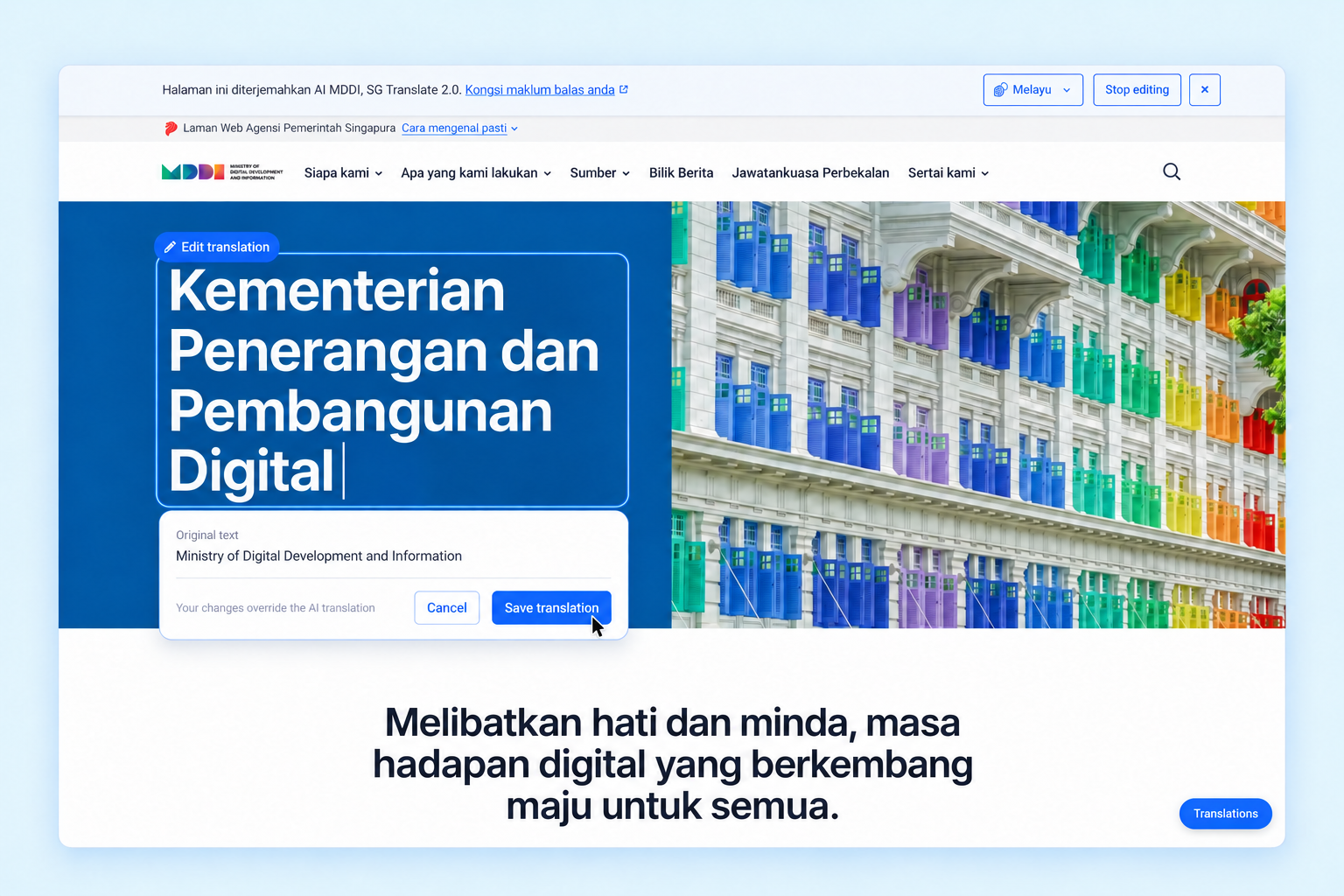
With Polyglot Widget’s visual editor, you can now refine translations directly on your website. Select a language, click Edit translations, and click the text you want to change. Refer to the original English text as you edit, then save your changes to override the automated translation.
Admin Mode can be accessed through Polyglot Studio even when you have disabled Polyglot Widget for the general public.
This means site admins can take advantage of Admin Mode to preview Polyglot's translations on live site content before enabling the widget for the general public.
Deploy translations with greater confidence.
Preview how translations would look like on your website before enabling Polyglot for the general public.