
Non-Isomer websites
Enable Polyglot for any WebSG or custom-built website.
Last updated on 30 October 2026
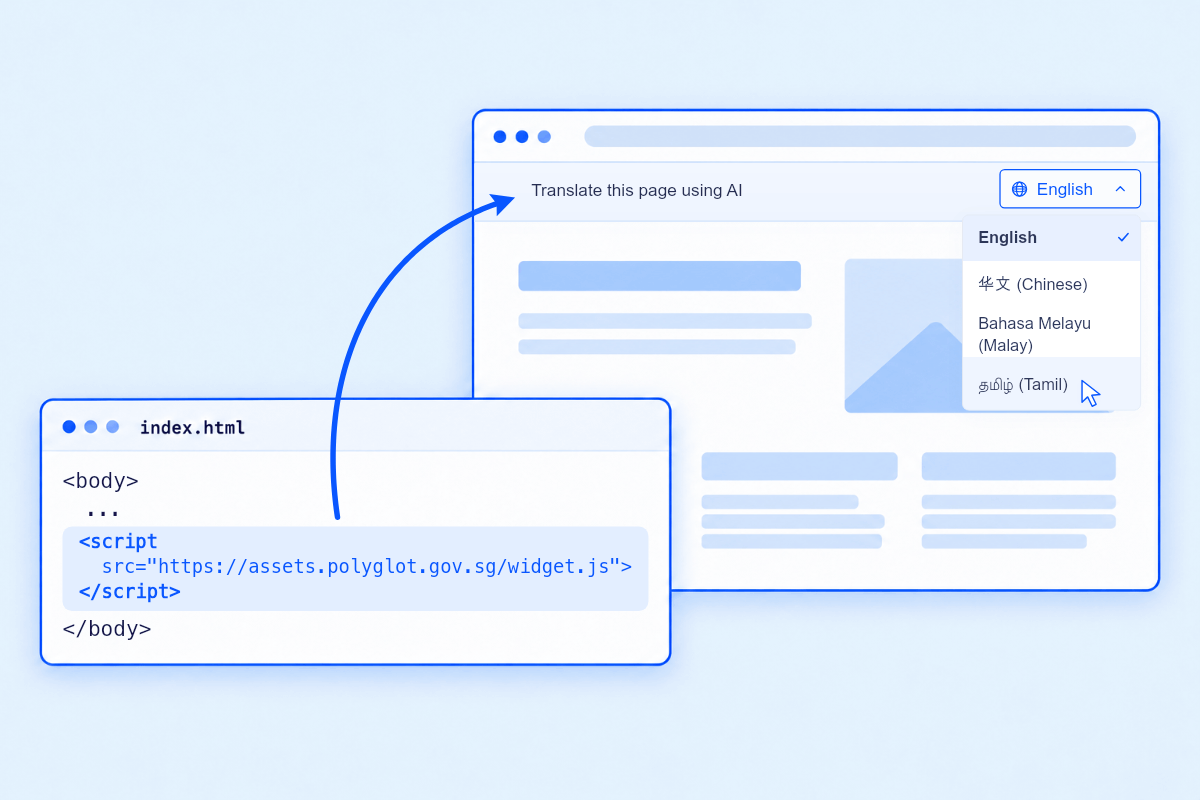
All you need is a script tag
We've made enabling translations for any government website super easy.
Register your website for Polyglot
Click here to register(opens in new tab)Receive onboarding email
You will receive an onboarding email with script tag embedding and login instructions for Polyglot Studio.
Embed Polyglot's script tag on your site
Add Polyglot's single script tag on every page you want translated.
Start serving translations
Login to Polyglot Studio and preview translations on your live site before activating the Polyglot Widget for your users.
FAQ
1. I want to preview how the Polyglot widget and translations would look like on our website before releasing the feature live for our users.
You can absolutely do so. Learn how.
2. My web applications contains dynamic content such as personalised user information. How do I exclude such content from translations?
You can apply a translate="no" attribute directly to any HTML element that you want to exclude from translations. When applied, it completely protects that element's text and all of its nested child elements from being translated.
3. I want to embed the Polyglot script tag across my entire website but only want to enable translations for specific pages.
While translations are enabled for all pages by default, you can also configure which paths to enable translations for through either an allowlist or denylist approach.
The Polyglot widget will stay hidden on pages which have translations disabled.