
How translations work
Polyglot translates English website content into Chinese, Malay and Tamil. Learn how translations refresh and when your team needs to review them.
Last updated on 15 November 2026
How visitors read translations
Visitors can choose Chinese, Malay or Tamil using the Polyglot widget. Translations are generated on demand, so your team does not need to maintain a separate website for each language. AI translations may need corrections or fine tuning for agency terminology, meaning or context.
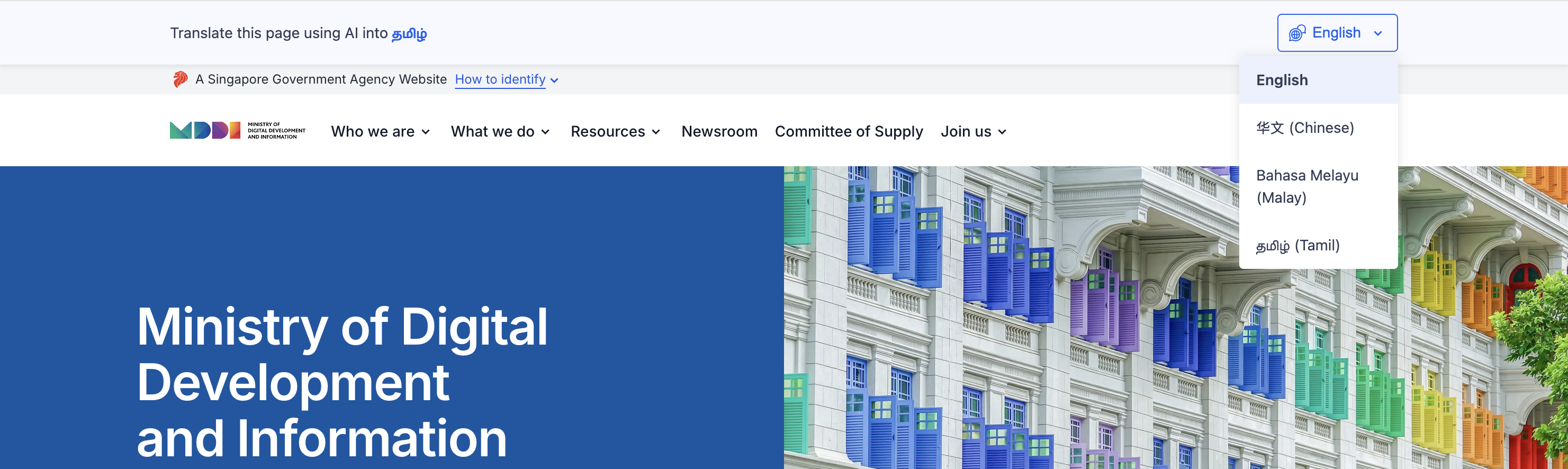
Polyglot language selector above translated website content.
How saved corrections work
A saved correction, also called a translation override, replaces the AI translation. It takes effect immediately. Polyglot matches the original English sentence exactly, including capitalisation, so a correction can be reused when that same sentence appears again.
Learn how to edit translations
After an English update
Translations refresh automatically when published English content changes. Publishing an English update also invalidates the website’s existing translation overrides.
Powered by SG Translate 2.0
SG Translate 2.0 is developed by MDDI and GovTech and uses Singapore-specific language resources. These include official government terms and past government communications.
Review translations before visitors see them
Use Admin Mode to check translations on your website while the public widget is off.